
Support Checklist
Checklist:
NMM Account
- Admin Funktion "NMM Accounts verwalten" im NMM Live: NEXT Farming
- Berechtigung mit Systemverwalteraccount hinzufügen
- NMM Admin
- Nach Email suchen
- AR Verbindung lösen oder Lizenzverknüpfung lösen
- Hinweis: zum Neu einrichten 5 min warten; Frontend aktualisiert sich nicht automatisch
Identifizieren wo die Daten Übertragung hängt:
https://prod-kibana.nextfarming.dev/app/kibana#/dashboards
Zugang: Email + Jira Passwort
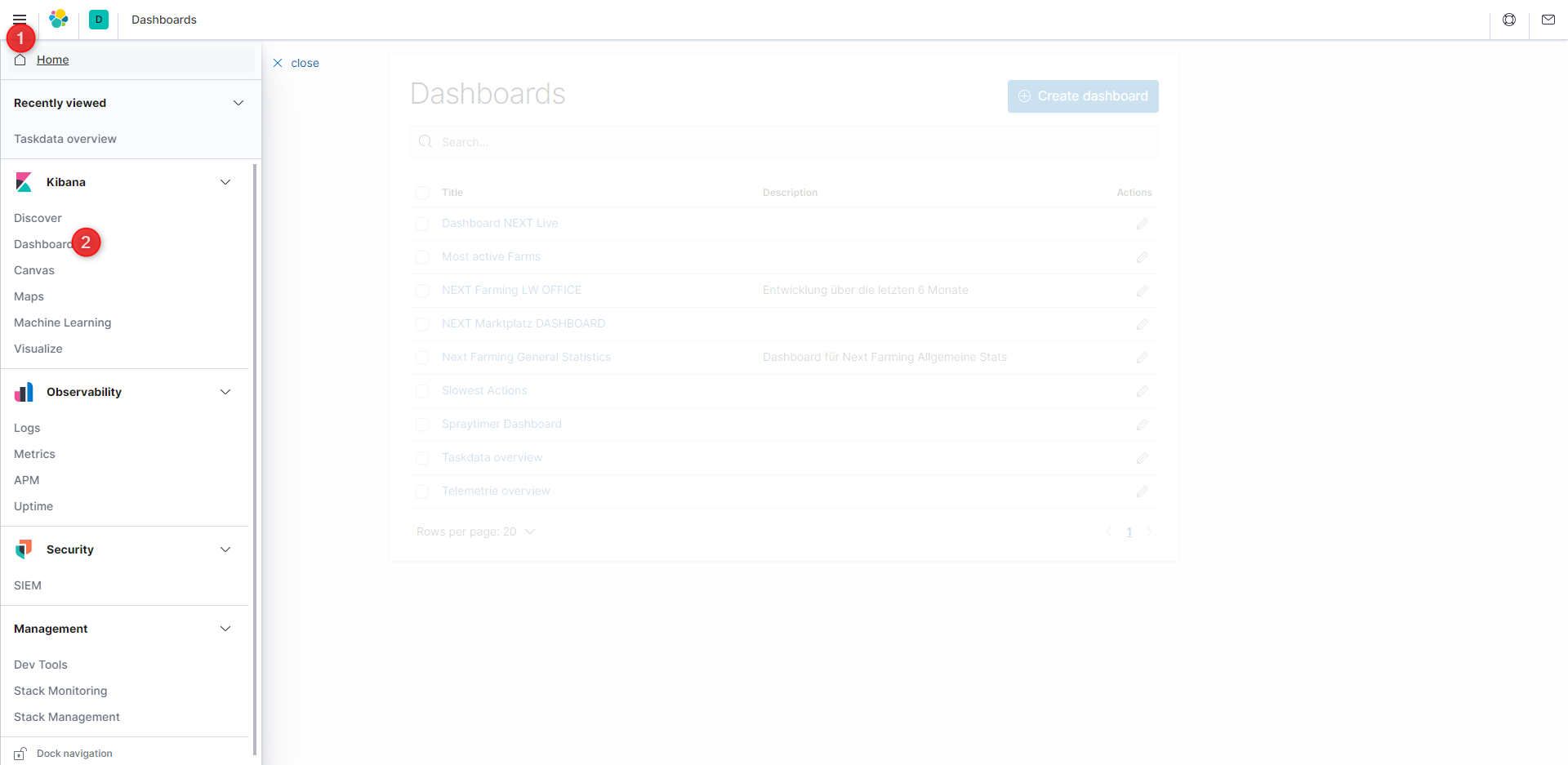
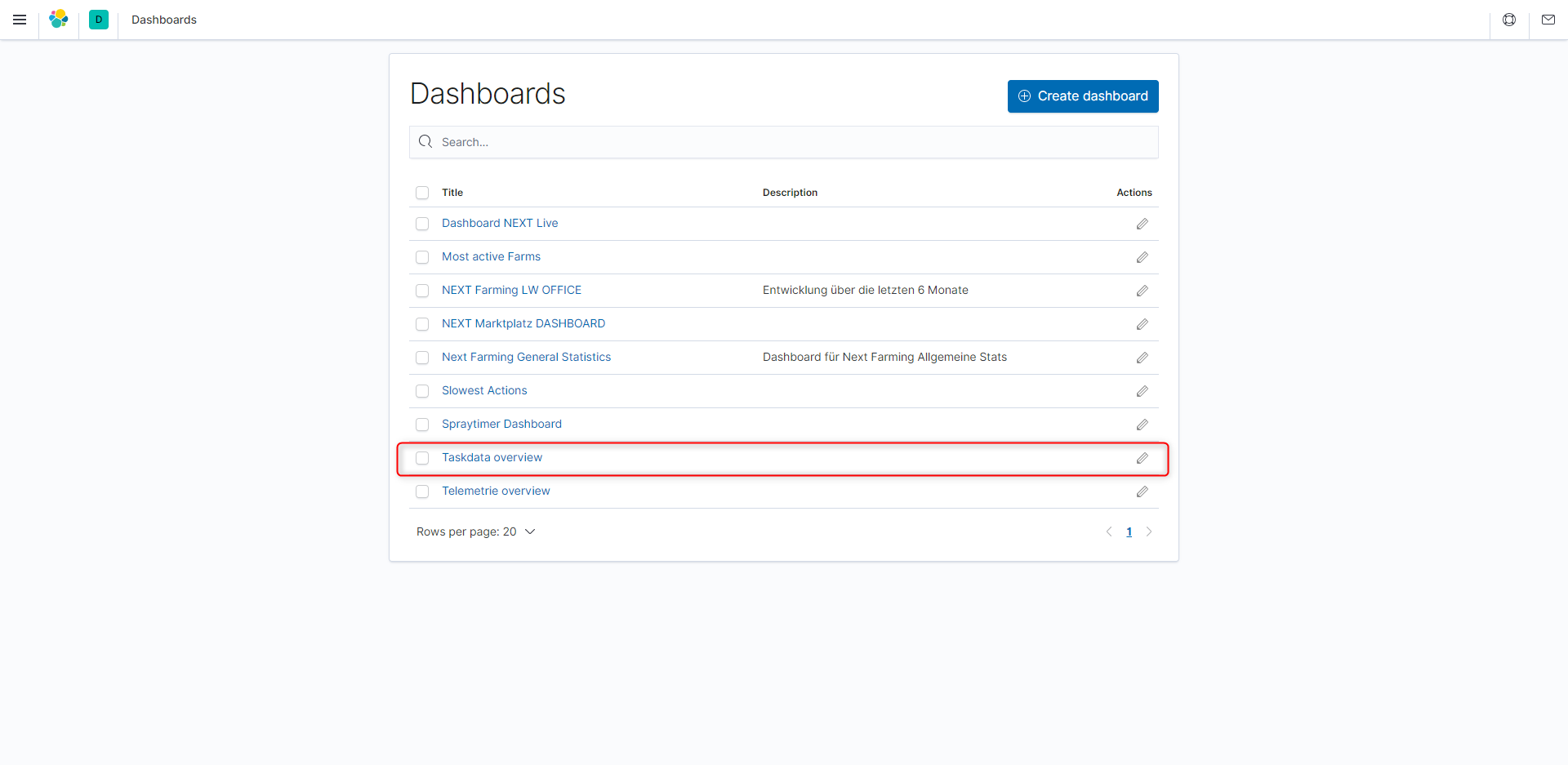
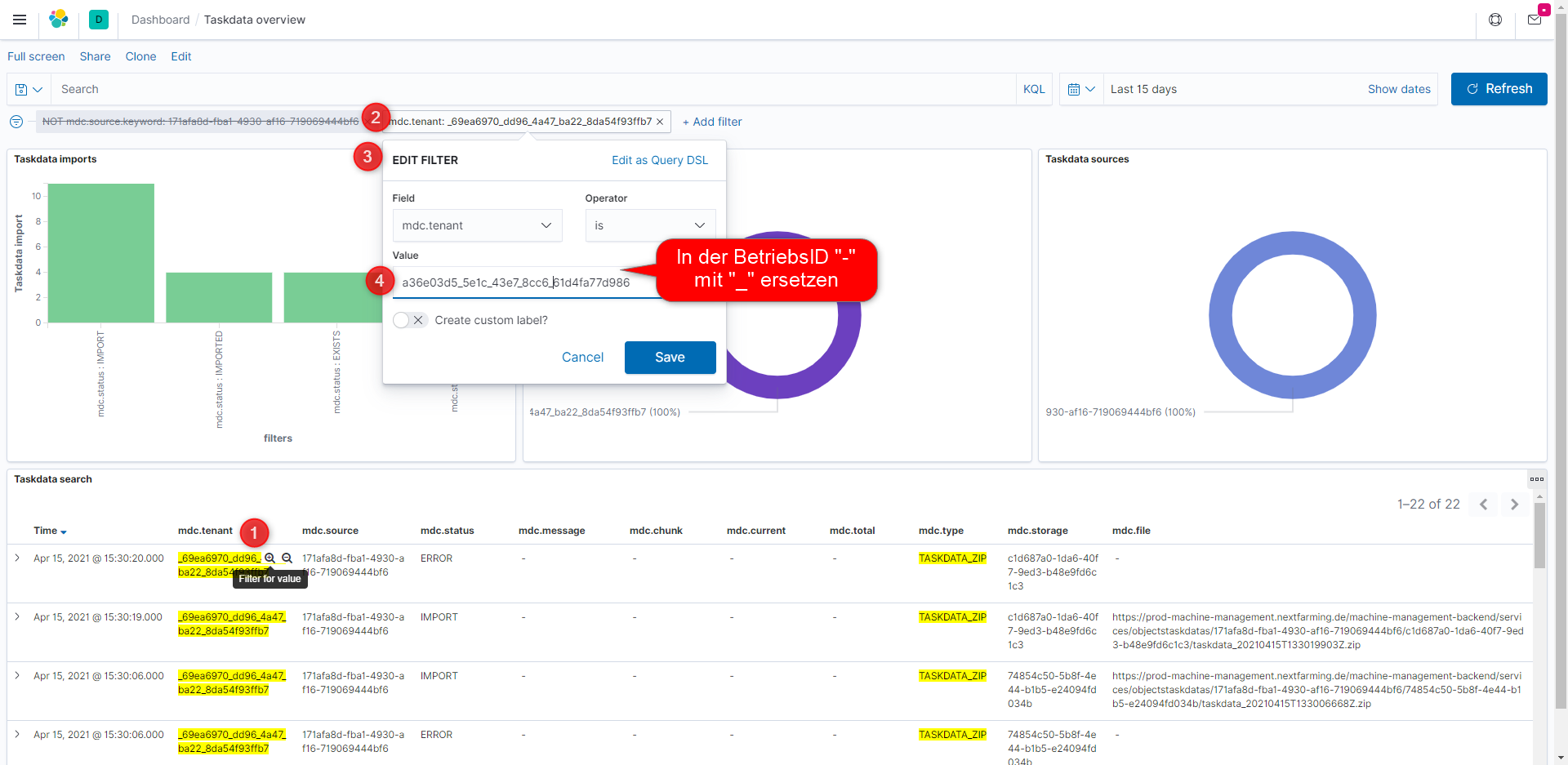
tenant ID mit 171afa8d-... das ist eine Pseudo ID, die steht für USB/Hochladen
agrirouter issues
- Does customer have an agrirouter account?
- Are endpoints available in agrirouter?
- Is routing in agrirouter set correctly (send & receive; double check)
- Are endpoint IDs consistent to IDs shown in used software / hardware (IO, NMM, KSC, CCI…)
- Onboarding in NMM successfully finished?
- Reonboarding neccessary (valid certificate for agrirouter connection)?
- Date / Deadline for Reonboarding can be found in NMM in Profile > Tab NMM
- If date is exceeded → contact FarmFacts support
- Reonboarding also has to be checked for used hardware / terminals
NMM licence issues
- Valid NMM license(s) in account?
- Licenses can be checked in Profile > Tab NMM
- Enddate must not be exceeded for datatransfer
- Licensed linked to relevant endpoints in agrirouter (check IDs)?
- Connection status in “Process Data” (lower right corner)?
- Endpoints visible in last step of “Send Data”
Issues with (task)data
If dataset is sent correctly from CU but not visible in NMM: Double check dataset for ISO-conformity manually. Requirements for data to be shown in “Process Data”:
- existing DVC
- TSK with status COMPLETED (TSK.G=4) or PAUSED (TSK.G=3)
- TIM in TSK with status EFFECTIVE (TIM.D=4)
- DLV in TIM that references DET from DVC
- DAN in TSK with ASP with status EFFECTIVE_REALIZED
(For 4. and 5. one of the two requirements has to be fullfilled or both)
Network Issues
- Is VPN connection used? If yes, please disable or test in network without VPN. We experienced problems with VPN connections in the past.
- To avoid / analyze network problems please test in alternative network (for example mobile hotspot or private WiFi). Especially company networks use higher security standards and could lead to problems sometimes.